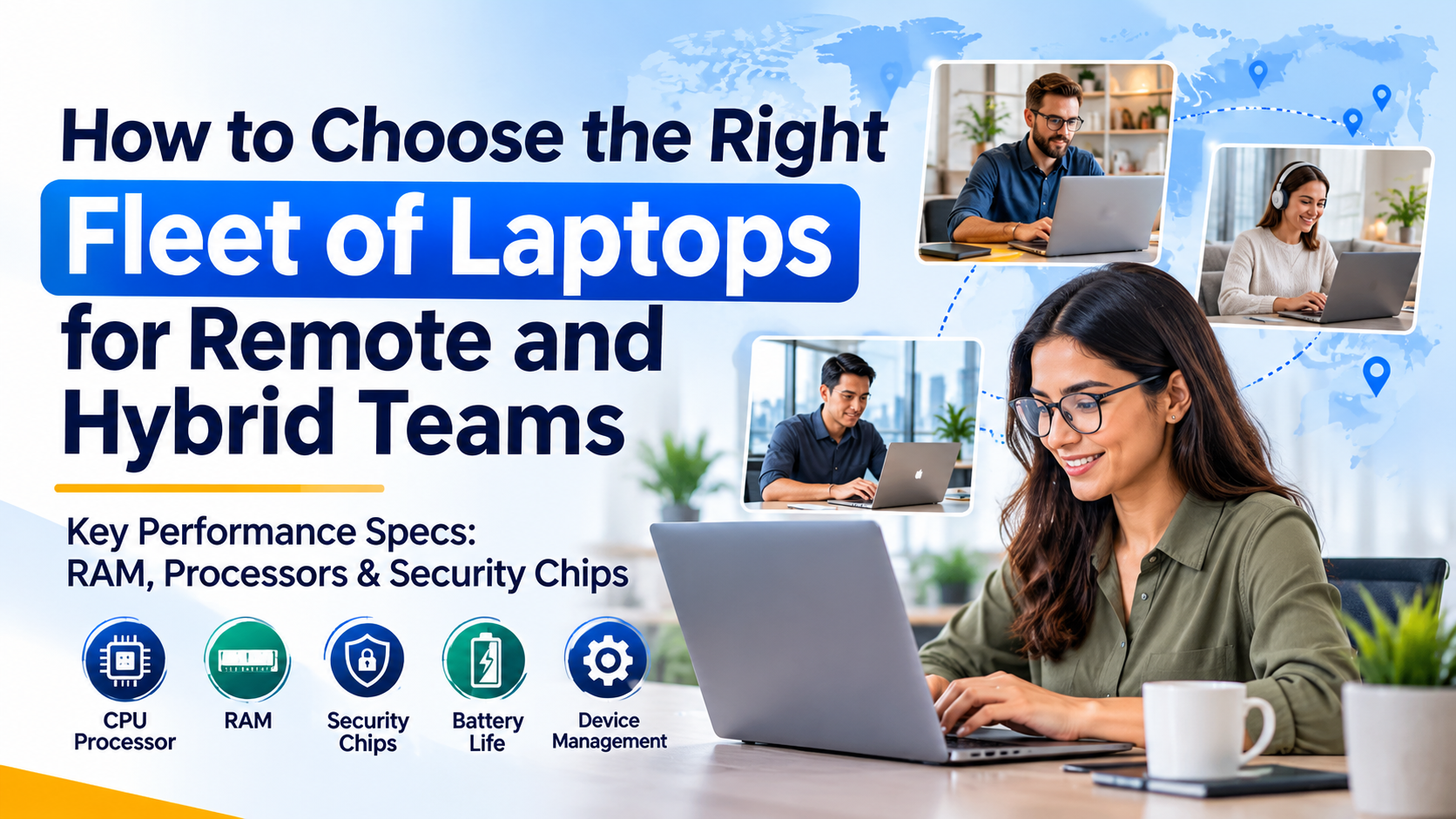
Business laptops for remote teams play an essential role in maintaining productivity, security, and seamless collaboration in today’s modern workplace. Businesses increasingly operate through remote, hybrid, and distributed teams, allowing employees to work from offices, homes, co-working spaces, and different geographical locations. While this flexibility creates new opportunities for organizations, it also introduces an important technology challenge: choosing the right laptops for employees.
For enterprise organizations, purchasing laptops is not simply about selecting devices with attractive designs or competitive prices. It involves building a reliable technology infrastructure that supports employee productivity, protects sensitive business information, and provides consistent performance across different working environments.
Choosing the right fleet of business laptops requires careful consideration of several factors, including processor performance, RAM capacity, storage, battery life, connectivity, security chips, device management, and long-term maintenance costs.
An unsuitable laptop fleet can result in slower workflows, frequent technical problems, security vulnerabilities, and increased IT support expenses. On the other hand, investing in the right enterprise laptops can improve employee experiences, strengthen cybersecurity, and reduce the overall cost of technology ownership.
In this guide, we will explore the essential specifications and considerations enterprise organizations should evaluate when selecting laptops for remote and hybrid teams in 2026.
1. Understand Your Team’s Work Requirements Before Purchasing Laptops
Before comparing laptop models or hardware specifications, organizations should understand how employees will use their devices.
Different departments have different computing requirements. Providing identical hardware to every employee may appear convenient, but it can lead to unnecessary expenses or insufficient performance.
For example:
-
Administrative teams: Require laptops for emails, spreadsheets, video conferencing, documentation, and browser-based applications.
-
Software developers: Need powerful processors, sufficient RAM, fast SSD storage, and the ability to run development environments.
-
Design and creative teams: Benefit from high-performance processors, dedicated graphics capabilities, high-resolution displays, and additional memory.
-
IT and cybersecurity teams: Require devices capable of running monitoring tools, virtual machines, security applications, and administrative software.
-
Sales and customer support teams: Need reliable connectivity, good microphones, webcams, battery life, and portable designs.
Organizations should conduct a department-wise hardware assessment before finalizing their procurement strategy.
This approach helps businesses create different laptop configurations based on actual job responsibilities rather than purchasing unnecessarily expensive devices for every employee.
2. Choose the Right Processor for Enterprise Performance
The processor is one of the most important components of a business laptop because it determines how efficiently the device handles applications, multitasking, and demanding workloads.
For remote and hybrid teams, processors should provide reliable performance throughout the working day while maintaining reasonable power consumption.
What processor specifications should businesses consider?
Enterprise organizations should evaluate the following factors:
Processor generation: Newer processor generations generally offer improvements in performance, energy efficiency, and integrated capabilities. However, organizations should compare actual benchmarks and platform features instead of relying exclusively on generation numbers.
Core count: Multiple processor cores allow laptops to handle several tasks simultaneously. This is particularly useful for employees who regularly use video conferencing software, spreadsheets, browsers, and business applications together.
Clock speed: Processor clock speed affects how quickly individual cores execute tasks. However, it should not be evaluated independently of architecture, core count, thermal performance, and workload benchmarks.
Power efficiency: Remote employees frequently work without access to charging points. Energy-efficient processors help extend battery life while maintaining performance.
Which processors are suitable for business laptops?
Enterprise organizations can consider processor families such as:
-
Intel Core and Intel Core Ultra processors.
-
AMD Ryzen and Ryzen PRO processors.
-
Apple M-series processors for compatible business environments.
For standard office productivity, modern mid-range processors are generally sufficient. Developers, engineers, analysts, and other power users may require higher-performance configurations.
Expert recommendation: Select processors according to employee workloads, application compatibility, security requirements, and expected device lifespan. Avoid paying for premium processing power when employees primarily perform basic office tasks.
3. Select the Right RAM Capacity for Multitasking
RAM (Random Access Memory) directly influences how efficiently a laptop handles multiple applications simultaneously.
Remote employees frequently keep several applications open, including Microsoft Teams, Zoom, Chrome, Microsoft Office, project management platforms, cloud applications, and company-specific software.
Insufficient RAM can cause application delays, system slowdowns, and poor multitasking experiences.
How much RAM do enterprise laptops need?
The appropriate RAM configuration depends on employee responsibilities.
| Employee workload | Recommended RAM |
|---|---|
| Basic administrative tasks | 8 GB minimum |
| Standard office and hybrid work | 16 GB |
| Software development | 16–32 GB |
| Data analysis and advanced applications | 32 GB |
| Virtual machines and demanding workloads | 32–64 GB or more |
These are practical planning guidelines rather than universal requirements. Actual needs depend on operating systems, applications, browser usage, and simultaneous workloads.
Why should enterprises consider 16 GB RAM as a standard?
For many organizations, 16 GB provides a practical balance between cost and performance.
It supports everyday multitasking, video meetings, document management, browser-based applications, and common enterprise software more comfortably than entry-level memory configurations.
Businesses should also consider whether laptop RAM is upgradeable or soldered to the motherboard.
Selecting sufficient memory during procurement can help extend device usability and reduce future replacement expenses.
4. Prioritize Enterprise-Level Security Chips and Hardware Protection
Cybersecurity is one of the most important considerations when deploying laptops across remote and hybrid teams.
Employees accessing corporate networks from home Wi-Fi connections, public networks, and different geographical locations create additional security challenges.
Traditional software-based security alone may not provide sufficient protection against sophisticated attacks. Enterprise organizations should prioritize hardware-backed security features.
Essential hardware security features
1. Trusted Platform Module (TPM 2.0)
TPM 2.0 is a dedicated security component that provides secure storage for cryptographic keys and supports platform integrity verification.
It helps protect sensitive information and supports security technologies such as Windows BitLocker drive encryption.
Organizations deploying Windows 11 devices should verify TPM 2.0 availability and enablement.
2. Secure Boot
Secure Boot helps ensure that the device starts using trusted boot software and helps prevent unauthorized or malicious boot-level components from loading.
It provides an additional layer of protection against certain types of firmware and bootkit attacks.
3. Hardware-Based Encryption
Business laptops should support hardware-assisted security capabilities that work alongside operating system encryption technologies.
For example, BitLocker can help protect stored business information if a laptop is lost or stolen.
4. Biometric Authentication
Fingerprint readers and compatible facial recognition systems can provide convenient authentication while reducing dependence on passwords alone.
Windows Hello for Business is one example of an enterprise authentication solution that can use supported biometric and device-based credentials.
5. Firmware-Level Protection
Organizations should evaluate firmware security features, BIOS protection, secure firmware updates, and vendor security management capabilities.
These features help protect devices against threats targeting systems below the operating system level.
Why hardware security matters for remote employees
A laptop used outside the corporate office may be exposed to additional risks, including device theft, unsecured networks, unauthorized access, and phishing-related compromise.
Combining hardware security, endpoint protection, multi-factor authentication, and centralized device management helps enterprises establish a stronger security environment.
5. Choose SSD Storage for Faster Performance and Better Reliability
Storage is another important consideration when selecting laptops for distributed teams.
Modern business laptops should generally use Solid State Drives (SSDs) instead of traditional Hard Disk Drives (HDDs).
SSDs provide faster boot times, quicker application loading, and improved responsiveness.
Recommended storage configurations
| Employee requirements | Suggested SSD capacity |
|---|---|
| Basic office work | 256 GB |
| Standard business productivity | 512 GB |
| Development and technical work | 512 GB–1 TB |
| Design and large project files | 1 TB or higher |
For most enterprise employees, a 512 GB SSD offers a practical balance between storage capacity and cost.
Organizations should also evaluate NVMe SSD support, storage encryption, and whether devices allow future storage upgrades.
Cloud storage platforms can reduce local storage requirements, but businesses should not depend entirely on cloud access because remote employees may occasionally experience connectivity issues.
6. Evaluate Battery Life for Remote and Hybrid Work
Battery life directly influences employee productivity, especially for individuals who travel frequently or work across multiple locations.
A laptop with poor battery performance can interrupt meetings, delay important work, and create unnecessary dependence on charging points.
What should enterprises look for?
Consider the following battery-related specifications:
-
A battery capable of supporting a full working session under realistic workloads.
-
Efficient processors and power management.
-
USB-C charging compatibility.
-
Fast charging support where available.
-
Battery health monitoring and replacement support.
Manufacturers often advertise battery life under controlled testing conditions. Actual performance may differ significantly depending on screen brightness, video meetings, background applications, and network usage.
Therefore, IT procurement teams should evaluate independent battery tests and real-world usage rather than relying exclusively on advertised figures.
7. Consider Display Quality, Webcam, and Audio Features
Remote collaboration depends heavily on communication quality.
Employees regularly participate in video conferences, online presentations, client meetings, and virtual training sessions.
A laptop with a poor webcam, uncomfortable display, or unreliable microphone can affect communication and employee experience.
Important features to evaluate
Display quality: Full HD (1920 × 1080) resolution is a practical baseline for most business laptops. Organizations with design or content-related workloads may require higher-resolution displays.
Screen size: 13–14-inch laptops are suitable for employees who prioritize portability, while 15–16-inch devices offer more screen space for multitasking.
Webcam: A good-quality 1080p webcam can improve video meeting experiences.
Microphone and speakers: Noise-reduction capabilities and clear audio are particularly useful for remote customer interactions and team meetings.
External display support: Employees working from home may benefit from docking stations and multiple monitor configurations.
Organizations should also consider screen brightness, anti-glare coatings, keyboard comfort, and ergonomic accessories.
8. Check Connectivity and Compatibility Requirements
Remote and hybrid employees depend on stable connectivity to access business applications, cloud platforms, and corporate networks.
An enterprise laptop should support modern connectivity standards and work smoothly with existing organizational infrastructure.
Essential connectivity features
-
Wi-Fi 6 or Wi-Fi 6E, with Wi-Fi 7 considered where the business infrastructure supports it.
-
Bluetooth connectivity for wireless accessories.
-
USB-C ports for charging and peripherals.
-
Thunderbolt support where required by the selected platform.
-
HDMI or compatible external display connectivity.
-
Ethernet support through built-in ports or docking solutions where necessary.
Organizations should also evaluate compatibility with VPN software, endpoint security applications, remote access platforms, and enterprise identity management systems.
A laptop may offer excellent hardware specifications but still create operational problems if it does not integrate properly with the organization’s existing IT environment.
9. Choose Laptops That Support Centralized IT Management
Managing a large laptop fleet becomes increasingly complicated as organizations expand their remote workforce.
IT administrators need the ability to configure, monitor, secure, and troubleshoot devices without physically accessing every employee’s laptop.
This makes centralized device management an essential procurement consideration.
What enterprise device management features should businesses consider?
Mobile Device Management (MDM): MDM platforms allow IT teams to configure devices, enforce policies, manage applications, and monitor compliance.
Remote provisioning: Solutions such as Windows Autopilot can help organizations prepare and configure Windows devices with reduced manual intervention.
Endpoint monitoring: IT teams should be able to monitor device health, security status, operating system versions, and performance issues.
Remote troubleshooting: Remote support capabilities help technicians diagnose and resolve technical problems without requiring employees to visit the office.
Automated updates: Centralized patch management helps organizations maintain updated operating systems, firmware, and business applications.
Before selecting a laptop vendor, organizations should confirm that the devices are compatible with their preferred management ecosystem.
10. Compare Total Cost of Ownership Instead of Purchase Price
One of the most common mistakes organizations make during laptop procurement is focusing exclusively on the initial purchase price.
A cheaper laptop may appear attractive, but it can become expensive over time because of maintenance requirements, performance limitations, replacement costs, and increased IT support needs.
Enterprise organizations should evaluate the Total Cost of Ownership (TCO).
What does laptop TCO include?
The overall cost of a business laptop fleet may include:
-
Initial hardware purchase.
-
Operating system and software licensing.
-
Security and endpoint management tools.
-
Warranty and technical support.
-
Maintenance and repairs.
-
Accessories and docking stations.
-
Employee productivity losses caused by hardware limitations.
-
Device replacement and disposal costs.
For example, a business laptop with a slightly higher initial price may offer a longer warranty, better performance, and lower maintenance requirements.
Over a three-to-five-year deployment period, these advantages can make it a more cost-effective investment.
Organizations should also consider vendor support availability, spare parts, replacement policies, and service-level commitments.
11. Standardize Laptop Configurations Across Departments
Enterprise organizations often manage hundreds or thousands of laptops across different departments and locations.
Purchasing completely different laptop models for every employee can complicate inventory management, technical support, software deployment, and maintenance.
A standardized hardware strategy can simplify these processes.
Create three practical laptop categories
| Category | Suggested configuration | Suitable employees |
|---|---|---|
| Standard business | Mid-range processor, 16 GB RAM, 512 GB SSD | HR, sales, administration |
| Professional performance | Higher-performance processor, 16–32 GB RAM, 512 GB–1 TB SSD | Developers, analysts, IT professionals |
| Advanced workstation | High-performance CPU, 32–64 GB RAM, dedicated GPU where required | Designers, engineers, technical specialists |
These configurations should be adjusted according to business applications and organizational requirements.
Standardization also makes it easier to negotiate volume purchasing agreements, maintain replacement inventory, and establish consistent security policies.
12. Plan for Laptop Lifecycle Management and Future Scalability
Laptop procurement should not be treated as a one-time purchasing activity.
Enterprise organizations need a lifecycle management strategy that covers device selection, deployment, maintenance, upgrades, replacement, and secure disposal.
A structured laptop lifecycle strategy helps prevent unexpected hardware failures and ensures employees have access to reliable devices.
Key lifecycle management practices
-
Procurement planning: Define hardware requirements based on business needs and employee roles.
-
Device configuration: Standardize operating systems, security settings, and business applications.
-
Deployment: Ensure laptops are securely configured before reaching employees.
-
Monitoring: Track device health, warranty status, and software compliance.
-
Maintenance: Schedule updates, repairs, and security checks.
-
Replacement: Establish a review cycle based on device condition, performance, support status, and business requirements.
-
Secure disposal: Remove company information and follow approved data sanitization procedures before retiring devices.
Organizations should also consider emerging requirements such as AI-enabled business applications, more demanding collaboration platforms, and evolving cybersecurity standards.
Planning for future workloads helps businesses avoid purchasing devices that become unsuitable too quickly.
13. Create a Practical Laptop Procurement Checklist
Before finalizing an enterprise laptop purchase, IT decision-makers should evaluate every device against a consistent checklist.
The following table provides a useful starting point.
| Specification | Recommended consideration |
|---|---|
| Processor | Modern Intel Core/Core Ultra, AMD Ryzen/PRO, or Apple M-series |
| RAM | 16 GB standard; 32 GB or higher for demanding workloads |
| Storage | 512 GB NVMe SSD as a practical standard |
| Security | TPM 2.0 where applicable, Secure Boot, encryption support |
| Authentication | Fingerprint reader or supported facial recognition |
| Display | Full HD minimum for general office use |
| Webcam | Good-quality 1080p preferred |
| Battery | Suitable for a full working session |
| Connectivity | Modern Wi-Fi, Bluetooth, USB-C |
| Management | MDM and remote provisioning compatibility |
| Warranty | Business-grade support and repair options |
| Lifecycle | Availability of spare parts and long-term vendor support |
This checklist can help procurement teams compare different laptop models objectively and identify devices that meet their operational requirements.
Frequently Asked Questions (FAQs)
1. What are the best laptop specifications for remote employees?
For most remote employees, a modern mid-range processor, 16 GB RAM, a 512 GB SSD, reliable Wi-Fi connectivity, a good webcam, and strong battery life provide a suitable starting point. More demanding roles may require higher specifications.
2. Is 16 GB RAM enough for hybrid work?
Yes. For standard office productivity, video conferencing, document management, and browser-based business applications, 16 GB RAM is generally sufficient. Software developers, data analysts, and technical professionals may benefit from 32 GB or more.
3. Why is TPM 2.0 important for enterprise laptops?
TPM 2.0 provides hardware-backed security capabilities, including secure storage for cryptographic keys. It supports technologies such as BitLocker and contributes to device security and platform integrity.
4. Which processor is better for business laptops: Intel or AMD?
Both Intel and AMD offer suitable business processors. The right choice depends on performance benchmarks, application compatibility, energy efficiency, security features, device availability, and vendor support.
5. How much SSD storage should a business laptop have?
A 512 GB SSD is a practical choice for many enterprise employees. Users handling large files, development environments, and creative projects may require 1 TB or more.
6. What security features should remote workforce laptops include?
Enterprise laptops should support appropriate hardware-backed security, Secure Boot, full-disk encryption, biometric authentication where suitable, firmware protection, endpoint security, and centralized device management.
7. How often should businesses replace employee laptops?
Many organizations use a three-to-five-year planning cycle, but replacement should depend on device condition, performance, warranty, security support, repair costs, and changing workload requirements.
8. Why is centralized laptop management important?
Centralized management allows IT teams to configure devices, deploy updates, enforce security policies, monitor compliance, and provide remote support. It reduces administrative effort when managing distributed employees.
9. Should enterprises purchase the same laptop for every employee?
Not necessarily. A role-based hardware strategy is generally more effective. Standard laptops can support administrative teams, while developers, designers, and technical professionals may require higher-performance configurations.
10. What is the biggest mistake companies make when choosing business laptops?
Focusing only on the initial purchase price is a common mistake. Businesses should also consider performance, security, warranty, lifecycle costs, manageability, and employee productivity.
Conclusion: Build a Reliable Laptop Fleet for a Productive Remote Workforce
Choosing the right fleet of laptops is an important investment in an organization’s long-term technology infrastructure.
For remote and hybrid teams, the ideal business laptop should deliver a balance of processing power, sufficient RAM, fast SSD storage, dependable battery life, modern connectivity, and enterprise-grade security.
However, hardware specifications alone are not enough. Organizations must also consider centralized device management, software compatibility, lifecycle planning, technical support, and total cost of ownership.
A role-based laptop procurement strategy helps businesses provide employees with the computing resources they actually need while controlling unnecessary hardware expenses.
As remote and hybrid work continue to evolve, enterprise organizations that invest in reliable, secure, and scalable laptop infrastructure will be better positioned to support employee productivity and business growth.
Looking to strengthen your organization’s IT infrastructure?
Visiosoftwares helps businesses explore technology solutions and IT staffing requirements that support their operational goals. Whether your organization needs software development support, IT professionals, or scalable technology resources, having the right expertise can make a meaningful difference.
Contact Visiosoftwares to discuss your business technology requirements and build a stronger IT foundation.